
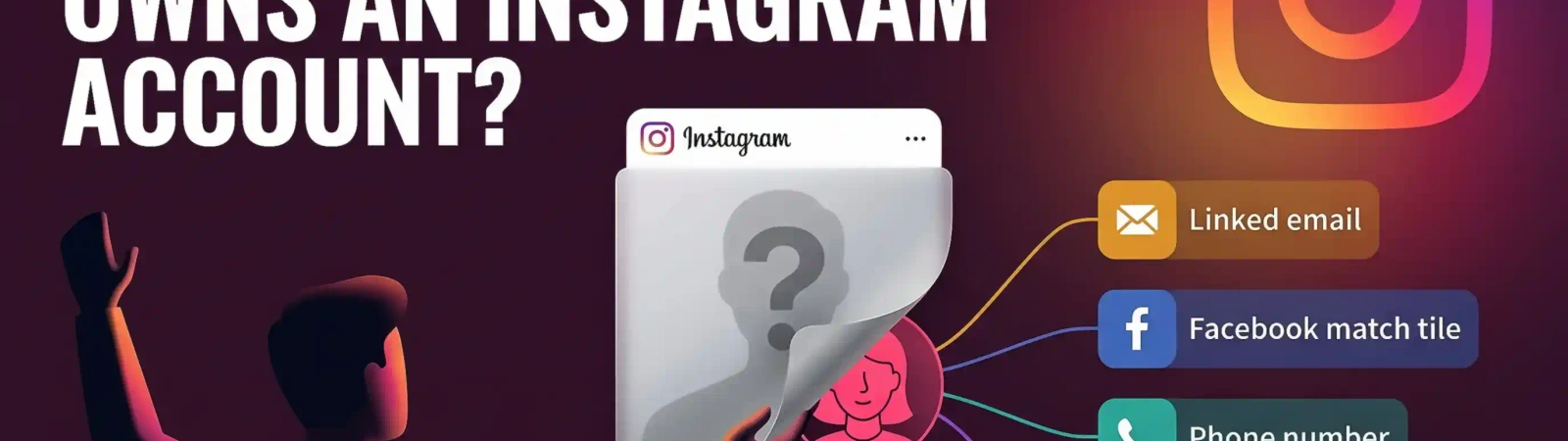
For many Internet users, an Instagram account is a digital mirror to reflect their lives and silently find others. However, if you wonder whether Instagram will tell you who owns an account, the answer is no. It can show many valuable details for the OSINT researcher: geolocation, images, network, email, education and even daily schedule. However, all the same details can be made up by the scammer to fool gullible users. Not sure whether you are talking to the real person behind an Instagram account? Find the name, email, or location of the person with ease using these tips from Molfar and Minos.
Who Might Have Created the Fake Instagram Account?
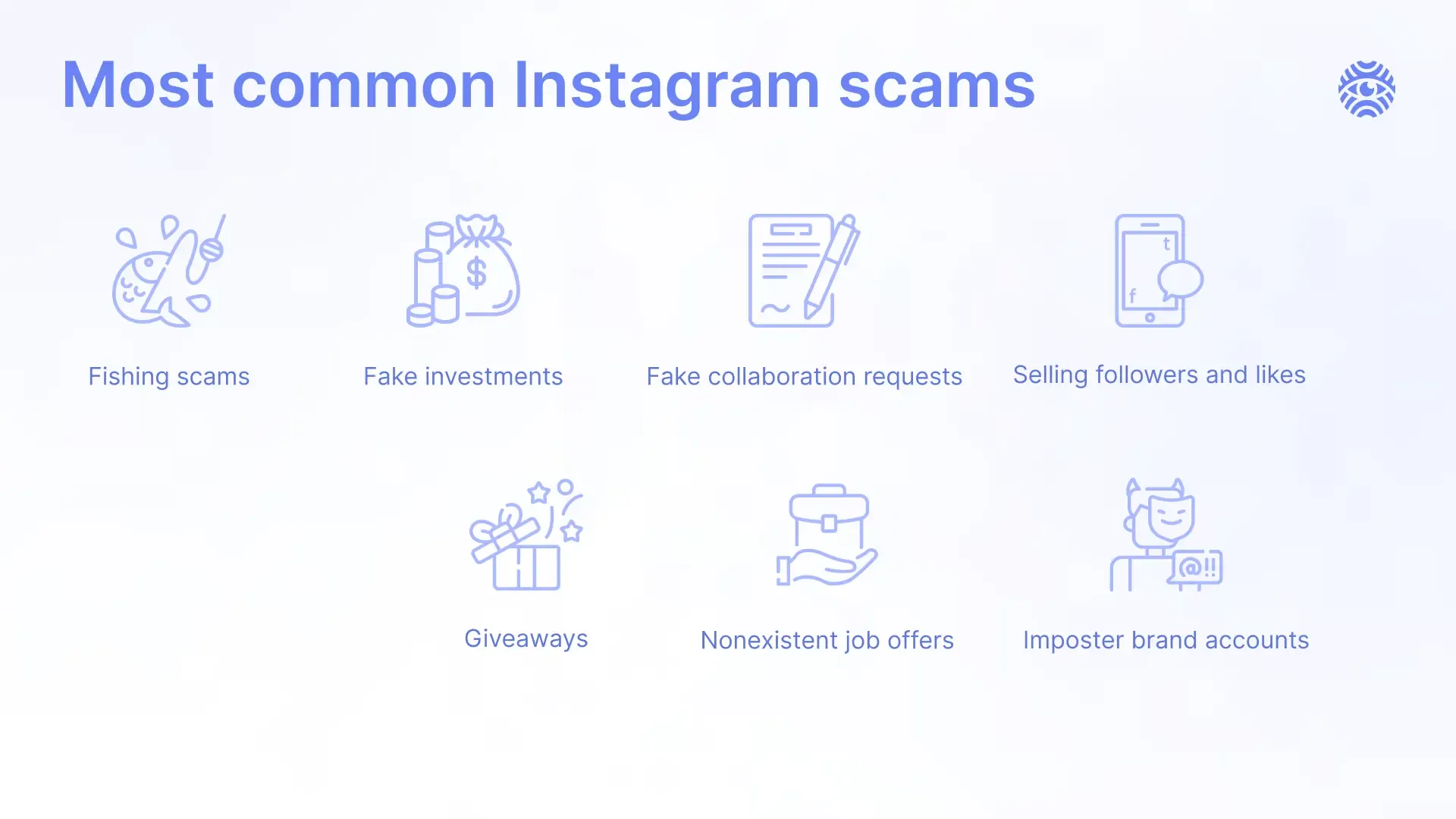
There can be different incentives for why a person deceives others using social media. Consider the following scenarios as to why an Instagram account might be suspicious:
- Impersonating With Malicious Plans. A person may create a fake Instagram account to impersonate someone else with the motivation of causing harm, spreading misinformation or damaging the reputation of the victim.
- Organizing Dating Scams. Since people often use Instagram accounts to find new friends or dating partners, culprits might exploit it to build relationships with the person and then demand money or gifts.
- Catfishing to Fulfill Their Emotional Needs. Scammers may do catfishing, where they create a false identity to form online relationships using an Instagram account. This can be driven by a desire for emotional satisfaction, attention or a sense of control over others' feelings.
- Faking Influencer Persona for Money. Some imposters may create a fabricated identity on social media, pretending to be an influencer with a large following. This deception with an Instagram account is often driven by the potential to find financial gains through brand partnerships, sponsorships or affiliate marketing.
- Doing Political Manipulation and Disinformation. Governments, organizations, or individuals may use social media to spread false information or manipulate public opinion to influence political events via Instagram accounts. The goal is often to find a way to advance a particular agenda.
Track the Owner of an Instagram Account
Since suspicious Instagram accounts might have different details available, there is no one only way to find someone’s true identity. You can focus on disclosing their location, name or even email. Here are steps that can help you discern a social media scammer from a genuine person:
Use Reverse Image Search
If the Instagram account owner has posted any visual content, utilize reverse image search techniques to validate them. There are different techniques that depend on what type of picture you are trying to find: a photo of an object, location or a person’s face.
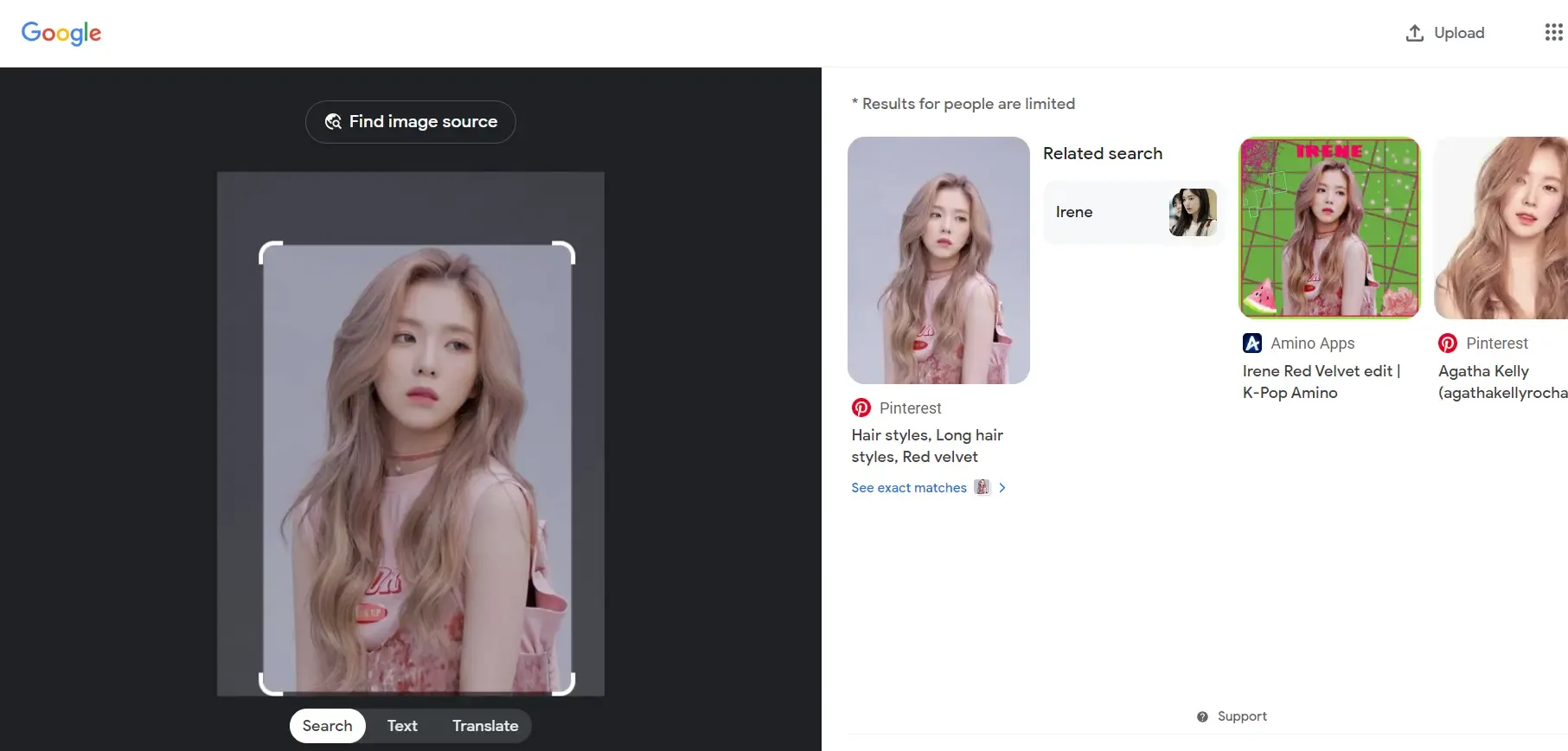
Reverse Image Search with Google Image
The simplest strategy is the reverse search using Google Images to find out whether the Instagram account photo was taken from another publicly available resource. It works best to learn if pictures of things or places were stolen from others. The algorithm is simple:
- Visit the Google Images website to kick off the investigation.
- Click on the camera icon in the search menu to find it.
- Select and upload an image you want to study from your device. Another option is to paste a URL of the picture from a website it’s posted on.
- Google will provide a list of the most similar images to the Instagram account photos and their sources. You have to explore the results yourself and find out whether there are identical matches.
Cross-Reference Records With Minos Profiler
Minos Profiler cross-references available records to surface profiles, aliases, contact details, and relationships that may belong to the same person. A Search Profile can show available names, aliases, photos, languages, and other details associated with the search subject.
Reverse Image Search with TinEye
TinEye is often used to check where an image has appeared online in order to identify duplicates. Using TinEye for reverse image searches is straightforward and effective if you're looking to trace the origins of a photo. Here’s how you can use this method to check where a photo came from:
- Go to the TinEye website.
- Upload the photo of the target into the search bar.
- Click the “Search” button to kick off the investigation. Then, TinEye will scan its database for any matches and show you where the image has been used online.
Find Out Who Owns an Instagram Account Through Other Platforms
Oftentimes, people use the same username and email across various platforms. Search the nickname on different social media in case there is a match and do an email investigation. Moreover, users themselves can link other online profiles or mention emails in the bio or posts of their Instagram account. Try to find Facebook or LinkedIn since these social media normally contain the most information about real identity, email, location, workplace, education and more. Here’s a blueprint of how you can directly find a username on other social media:
X (Twitter) Search
- Look up the username on X (Twitter).
- Check the bio and pinned tweets for clues as to whether it’s the right person.
- Scroll through their tweets, check their mentions and interactions for friends or relatives that can help to confirm their identity.
- Check any photos too, since they can help confirm whether it is the same person.
Look for an Instagram Account Owner With an Email
Identifying a person’s email can be a valuable stepping stone on the way to revealing their contact details and true identity. Instagram allows users to link their business or personal emails in their profile, so here’s how you can detect it:
- Open a person’s Instagram profile.
- If it is a business or creator account, tap the “Contact” option to see any phone number or email address the owner chose to publish.
- Note the published email address.
Once you have the email, you can use it to find out more about the person with a Minos search, or, in case the person has linked a corporate email, use knowledge about a company to inquire more about the person directly.
Can You Find Out Who an Instagram Account Belongs to?
If you wonder whether it’s possible to reveal the real identity of a person based on Instagram alone, the answer is yes. You can investigate what little info you have to collect insights about the target. Make sure to:
Check the Bio
The person can mention their name or nickname, location, profession, interests or even links to other accounts in a bio. It’s a valuable source to track Instagram account owner.
Scroll Through the Followers
Pay attention to the profiles of those who are tagged in the posts or regularly interact with the content of your target. Check their accounts to reveal more about network, location, interests, etc. of the person you attempt to lookup.
Identify the Location
Look for posts with geotags to see if there’s a pattern. Geotags only show what the account chose to share; do not use them to locate someone who does not want to be found.
Free Versus Paid Tools
You may wonder, can you trace an Instagram account using only free tools? The answer is yes, but this investigation will be complicated. Free tools such as Google Images and TinEye cover basic checks, while paid platforms can combine more sources.
Ethical Disclaimer
Before conducting an investigation, take into account this disclaimer about the ethical implications and potential violations of privacy. Don’t cross the line between OSINT and hacking by attempting to take control of the account of the person. Such actions are legally punishable and ethically flawed. Collecting data about a person can also breach platform terms and privacy law such as GDPR.
What to Do If the Owner of an Instagram Account is a Scammer?
No matter what tools you use to find name, location or email, the research can reveal that the Instagram account you investigated is fake. If the person behind the profile does fraudulent actions or scams others, follow these steps to report them:
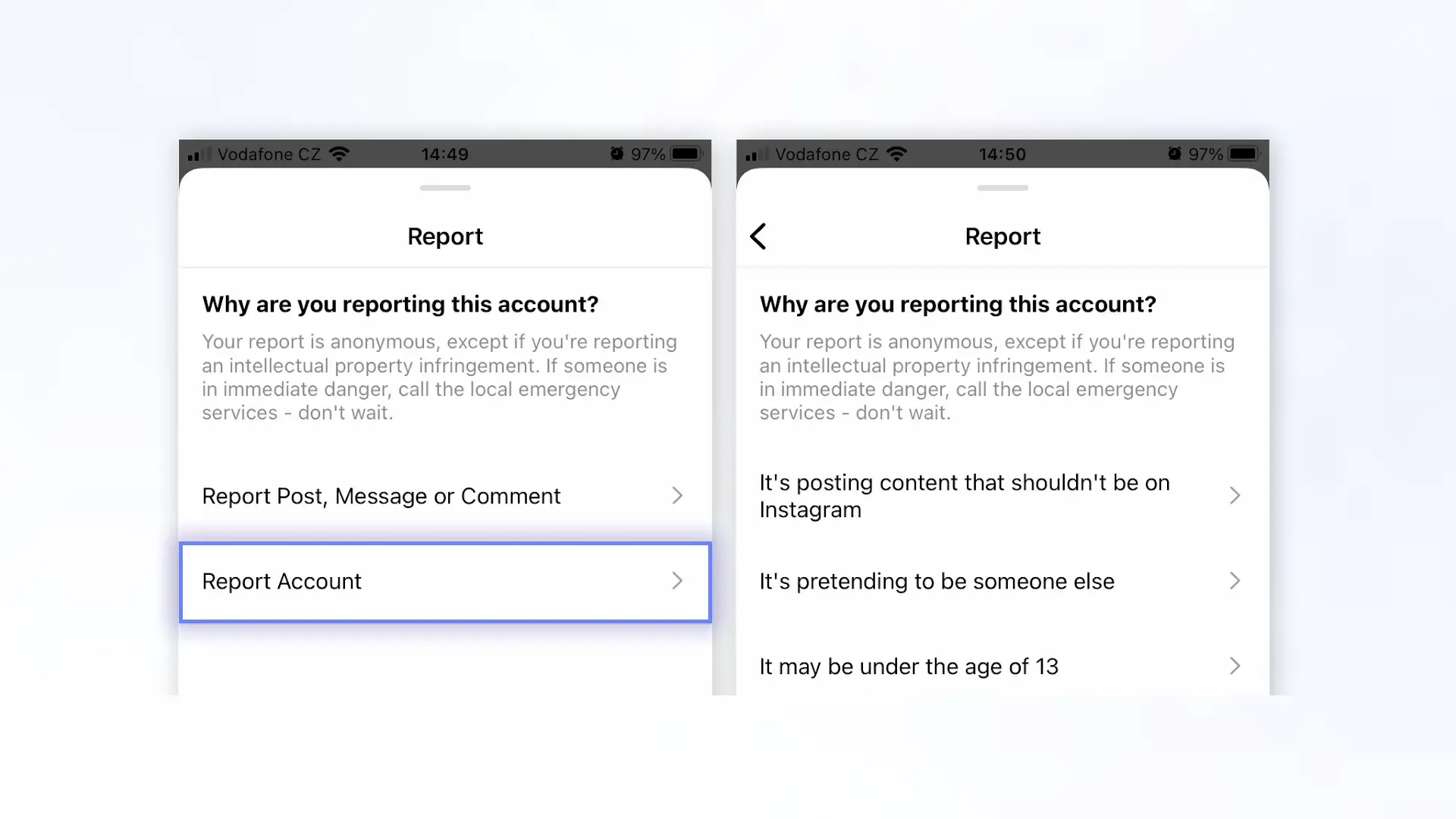
- After clicking on the Instagram account you suspect, tap on three dots.
- Opt for the tab “Report” and choose the reason you decided that this Instagram account doesn’t follow community guidelines, such as "It's a scam" or "Suspicious activity." The support team can act on accounts that break the rules.
- Unfollow and block the Instagram account to prevent any further interaction with them.
Protect Yourself
Take preventive steps to avoid scammer attacks in advance. Consider such steps as:
- Enable two-factor authentication on Instagram to know whether someone tries to log-in to your account without your consent.
- Don’t reuse passwords for different social media and services.
- Don’t share your location, real name, or other sensitive details on Instagram.
Conclusion
Considering modern tools that are freely available, finding an Instagram account owner can be easier than it seems. Whether you use the reverse image search method, opt for social media or email lookup, always stay aware of the privacy concerns and platform policies.

This Signal Sits Inside the Minos Workflow
Watch
Detects relevant activity across configured sources and preserves the original evidence.
Explore →Risk
Assesses how serious the signal is and identifies what requires attention first.
Explore →Investigate
Uses Minos Profiler to quickly build a structured identity and risk profile from a known identifier.
Explore →Research
Adds analyst-led investigation when the available information is not enough to answer the wider question.
Explore →Response
Coordinates response plans with clear ownership, timing, and execution tracking.
Explore →See what Minos surfaces in your own information space
A 30-minute briefing on your own risk landscape — no slides, real data.