

Email often serves as an online business card that people use to introduce themselves, register on the services and social media or communicate with someone to arrange work affairs. That’s why email is a perfect instrument in case you want to do a check on someone’s digital presence. Run a search by email to see which public profiles and pages are tied to the address of a business partner or collaborator. Do it only for a legitimate reason, and respect the person’s privacy and the platform’s terms.
Why You May Need to Do an OnlyFans Search by Email?
Reverse email lookup to find OnlyFans can come in handy for both personal and business affairs. Consider these business scenarios:
- Establish Content Creator Partnerships. Businesses looking to partner with influencers or content creators on OnlyFans might use an email search to verify the legitimacy of potential collaborators. Otherwise, if your business doesn't want to make a deal with an influencer active on such a controversial platform, you can check whether they are registered on it.
- Protect Brand Reputation. Companies might want to ensure that their brand ambassadors are not associated with content that could harm their brand's reputation. An email search can help verify the nature of the content produced by potential partners on OnlyFans.
How to Find Someone’s Profile on OnlyFans With Their Email Address?
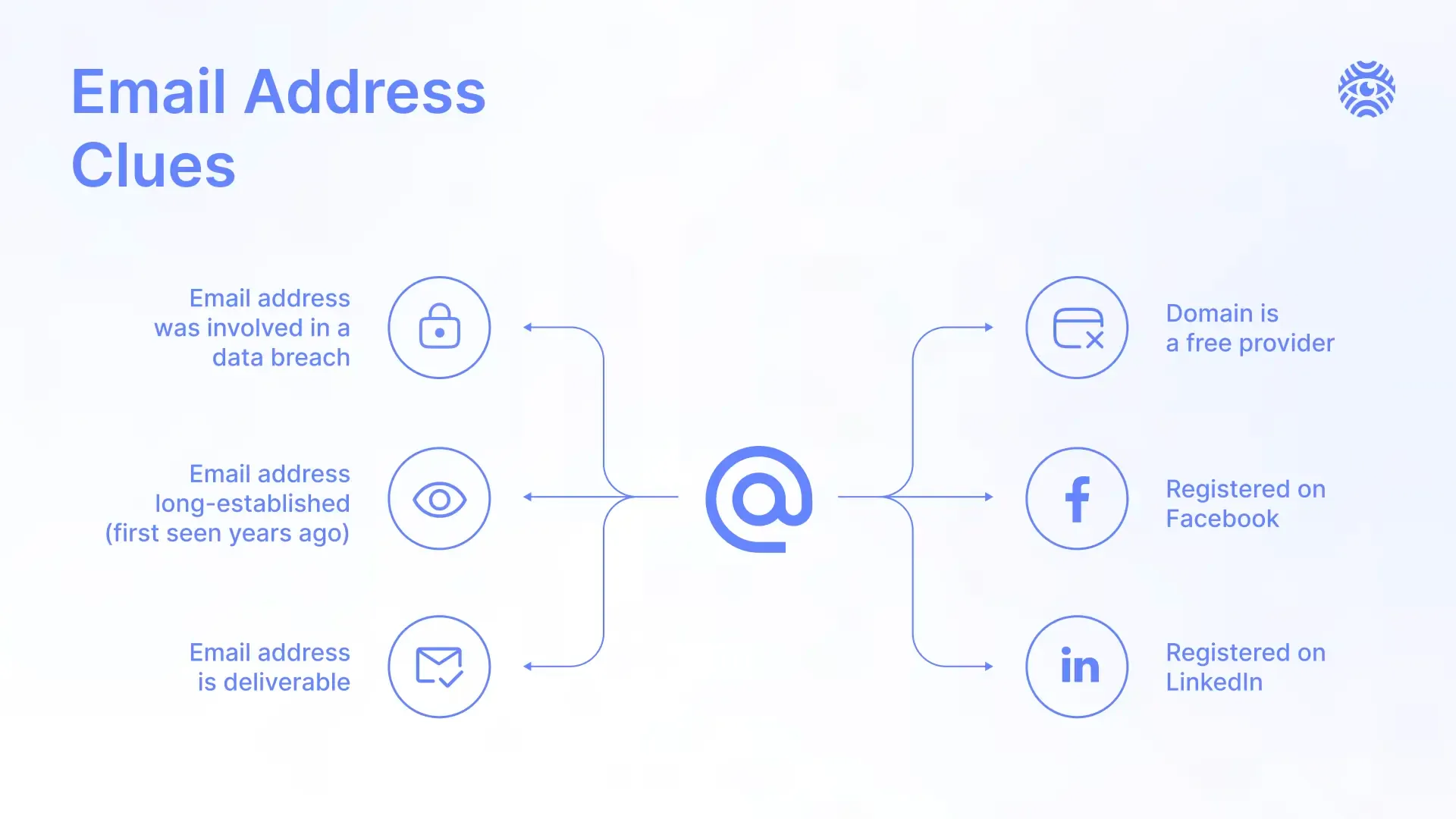
Since OnlyFans is a notoriously private and anonymous platform, OnlyFans search by email can be a hard task. That’s why Molfar and Minos recommend combining a few methods to disclose someone’s account successfully.
Use Google Search
The simplest way to kick off the reverse email lookup investigation is to use Google in order to lookup basic information available with a superficial search. Here’s how it goes:
- Basic Email Search. Enter the email address directly into the Google search bar. It works more effectively if you enclose the email in quotes to find exact matches. Review the search results for any mentions of the email address. This can include social media profiles, forum posts, blogs, or other websites where the email has been used.
- Reddit Search. Users often discuss influencers on subreddits, and OnlyFans creators are not excluded. Go to such subreddits as r/OnlyFans and r/OnlyFansAdvice in order to search for mentions of your target. Type in the username the creator publishes under in case there is a match.
Where Minos Fits
Minos Profiler helps teams understand who they are dealing with before making operational, compliance, or business decisions. It is not a tool for finding someone's OnlyFans page, and no tool should be used to link a creator's real identity to their account.
Search OnlyFans by Using the Real Name
Sometimes people are relatively open with their OnlyFans presence and use their real name for their OnlyFans business deals. Follow this chain of actions:
- Do Direct Search. Go to OnlyFans and use the search function to enter the real name. This might not always be fruitful since many creators use pseudonyms, but it’s worth trying.
- Try Looking Up Name Variants. Many people use variations, nicknames, or slightly altered versions of their real names for online profiles. For example, if you are looking for someone named John, try variants like “Johnny,” “Jonny,” “Joni,” etc.
- Use the Middle Name. Sometimes people use their middle names instead of the first name. If you know the middle name, include it in your search.
- Look Up Abbreviations. A person might partially conceal their name by using a shortened version instead of the full name. For example, someone named John Suh might go with “John S.” or “J. Suh.”
The Difficulties of the OnlyFans Lookup by Email?
It is fair to warn you in advance that OnlyFans search by email may not be fruitful. Unlike typical social media, OnlyFans is more privacy- and anonymity-focused, since many creators post adult content and want to hide this business from their network. Moreover, a lot of posts are hidden behind paywalls which also hinders the investigation. Many things can go wrong, such as:
- Limited Search Functionality. OnlyFans does not offer a public search function that allows users to search for profiles by email address. This is by design to protect the privacy of both creators and subscribers.
- Strict Platform Policies. OnlyFans does not disclose email addresses associated with accounts. This means that even if you have an email address, there is no official way to verify it against an OnlyFans account.
- Multiple Accounts. Some creators might operate multiple accounts using different email addresses, making it harder to link a specific email to a particular OnlyFans profile.
The Ethics of the OnlyFans Email Lookup
No matter whether your research goes successfully or not, it is crucial to conduct any OSINT investigation with morals and ethics in mind. Ensure that your reasons for looking up someone's OnlyFans account are legitimate and justified. For example, a concern for a partner’s online activities should be balanced with trust and communication. Also, adhere to the terms of service of platforms and search tools. Unauthorized use of personal information can result in account suspensions or legal action against you.
Moreover, any attempts to hack someone’s OnlyFans using email are against the ethics of OSINT. Refrain from such attempts, as only open-source data should be used in the investigation.
What to Do After You’ve Managed to Find OnlyFans Profile by Email
In case you nailed the OnlyFans search by email and reverse email lookup led you to the creator’s account, be sure to use this resource wisely. Now, you can use HUMINT to contact the person directly. Lastly, be sure to respect the confidentiality of the account and refrain from disclosing personal details with third parties unless it's absolutely necessary or with the owner's permission.
Conclusion
OnlyFans search by email is an intricate OSINT task that often requires combining a few means at once to find success. Use only open-source data, and respect the person’s boundaries and rights when conducting such sensitive research.
This Signal Sits Inside the Minos Workflow
Watch
Detects relevant activity across configured sources and preserves the original evidence.
Explore →Risk
Assesses how serious the signal is and identifies what requires attention first.
Explore →Investigate
Uses Minos Profiler to quickly build a structured identity and risk profile from a known identifier.
Explore →Research
Adds analyst-led investigation when the available information is not enough to answer the wider question.
Explore →Response
Coordinates response plans with clear ownership, timing, and execution tracking.
Explore →See what Minos surfaces in your own information space
A 30-minute briefing on your own risk landscape — no slides, real data.